Writing good image alt text
This guidance explains how to write alternative (alt) text for images so people can understand images they cannot see.
Only use images when they help people better understand the content or service. Read Before you use images in web content.
On this page
- Who this guidance is for
- What alt text is and why it matters
- Focus on what the image means
- What good alt text does
- One image, different meanings
- Complex images (charts, maps and diagrams)
- Functional images
- Images of text
- Decorative images
- Using captions with images
- A simple way to decide what to write
- Key points to remember
Who this guidance is for
This guidance is for people who create and edit web content. It focuses on images used as part of page content.
Images used as part of the website’s interface, such as buttons or navigation, are handled differently and are the responsibility of website developers.
What alt text is and why it matters
Alt text is a short hidden description used for images that contain information. It helps people who use screen readers understand what the image shows and why it matters.
Screen readers read alt text aloud when they reach an image. Alt text will also appear if the image fails to load.
Alt text should not describe every detail. Every image announced by a screen reader demands attention. Unnecessary or poorly written alt text can slow people down, create noise or confusion and make content harder to use.
Instead, explain the point of the image clearly and quickly so people can move on.
When writing alt text, focus on why the image is there. What would someone miss if it was removed?
Focus on what the image means
Alt text is about meaning, not appearance.
People who use screen readers want to focus on the information they need to complete their task. Only include visual detail when it supports that purpose.
There is rarely a single “correct” way to write alt text. What matters is that it makes sense for that page and is quick and easy to understand.
When writing alt text, pause and ask:
Why is this image here on this page?
Your answer is usually what the alt text should communicate.
What good alt text does
Good alt text supports understanding without getting in the way. It helps people move through content efficiently.
Good alt text:
- supports how people understand the content
- is short and clear
- avoids assumptions about gender, emotions, relationships or intent
- does not repeat nearby text or captions
How long alt text should be
Alt text is mainly for people using screen readers, so length matters.
In most cases, a single short sentence is enough, usually between 5 and 20 words.
Long descriptions can be hard to follow when read aloud. If more explanation is needed, that detail should be included in the main page content, not hidden in alt text.
Use basic punctuation to support natural pauses when read aloud.
One image, different meanings
Alt text should follow the purpose of the page, not describe the image on its own.
Describing everything in an image does not help people understand why it's there.
For example, this image shows a dog standing on grass in a park.
 The same image can mean different things depending on the page it appears on.
The image contains other visual details, but most of them do not matter on every page the image may be used on. The page content decides what information matters.
For example:
- On a page about assistance dogs, what matters is the function of the harness.
Alt text: “Assistance dog wearing a working harness.” - On a page about parks, what matters is the setting.
Alt text: “Dog standing on grass in a park.” - On a page about animal intelligence, what matters is the type of animal as a general example.
Alt text: “Dog standing on grass.” - On a page about Labrador varieties, what matters is the breed and colour shown.
Alt text: “Yellow Labrador standing on grass.”
In each case, the image is the same, but the purpose of the page changes what matters. Include detail only when it adds meaning in that specific context.
Colour is included in the last example because it explains the variety shown. Other visual details, like background trees or harness colour, are not included because they do not add meaning.
The same is true for images used on our web pages. What often matters most is the service being shown, not the setting or clothing.
For example, consider an image showing a pothole being repaired.
- On a news page, what matters is the event being reported.
Alt text: “Council worker repairing a pothole.” - On a service page about reporting road issues, what matters is helping people recognise the problem.
Alt text: “Pothole being repaired on a residential street.” - On a page explaining how road repairs are carried out, what matters is explaining the process.
Alt text: “Council worker filling a pothole with tarmac.”
In each case, the image is the same, but the purpose it is meant to communicate changes what the alt text should focus on.
Complex images (charts, maps and diagrams)
If an image includes a lot of detail, such as a chart, map or infographic, a short sentence may not be enough on its own.
In these cases, keep the alt text brief and explain the full information in the page content.
Read Using complex images to learn how to do this.
Functional images
Some images are used as links. For example, a promotional banner may be used as a link that appears across different pages on our website.
Treat these images like link text.
Alt text should describe:
- where the link goes
- what the link helps people do
You do not need to copy all the text from the image or describe every visual detail.
Before writing the alt text, ask yourself: If this image was a text link, what would the link say?
Your answer is usually a good starting point for the alt text.
For example, a banner image may link to a page about recycling. It includes a recycling symbol and the message:
“Recycle right. Check if items like batteries, food containers and certain plastics can be recycled at home.”
Good alt text focuses on the purpose of the link, not what the image looks like or the promotional wording.
For example:
"Check what you can recycle at home"
Images of text
Avoid using images that contain important text. Use real text on the page where possible.
Images of text can create problems because they:
- cannot be easily resized or adapted for different needs (for example on mobile devices, in dark mode or when translated)
- are harder for screen readers to understand
- are harder to maintain and update
Sometimes images of text cannot be avoided. In those cases, make sure the image has appropriate alt text that explains the information someone would miss without it.
Alt text is not a good replacement for large amounts of text in an image.
If an image contains a large amount of important text, move this information into the page content instead. If the image is still needed alongside this content and only repeats information already available on the page, it may be treated as decorative.
For example, a social media graphic may contain important information about an event, consultation or campaign. Add this information to the main post content instead of the alt text. If the image then only repeats that information, it may be treated as decorative.
Decorative images
Some images are included only for visual purposes and do not add any additional meaning.
If removing an image would not change what the page is saying, it is decorative. Decorative images should be skipped by screen readers so people can focus on what matters.
For example, consider a page that listed different organisations and their logos. If their names appeared in the main text, their logos would be decorative. Adding alt text would repeat this information without adding value.
On most web pages, skipping decorative images means using empty alt text. On some platforms, such as Microsoft Word, you may need to manually mark the image as decorative instead.
For guidance on how to do this, read Using decorative images.
Using captions with images
A caption is text shown with an image. It explains why the image matters to the content. It appears usually below or above the image. Screen readers often announce it with the image.
Captions do not replace alt text. Screen readers use captions and alt text for different purposes. They should support each other, not repeat the same information.
Captions can help explain to everyone who sees the image why it matters. Alt text explains what matters about the image in this context.
Alt text should make sense on its own, without relying on a caption.
For example, consider the image of a dog from the previous section:
Caption: "The same image can mean different things depending on the page it appears on."
Alt text: "Dog standing on grass."
Together, the caption, alt text and the surrounding context explain why the image is there and what it is showing.
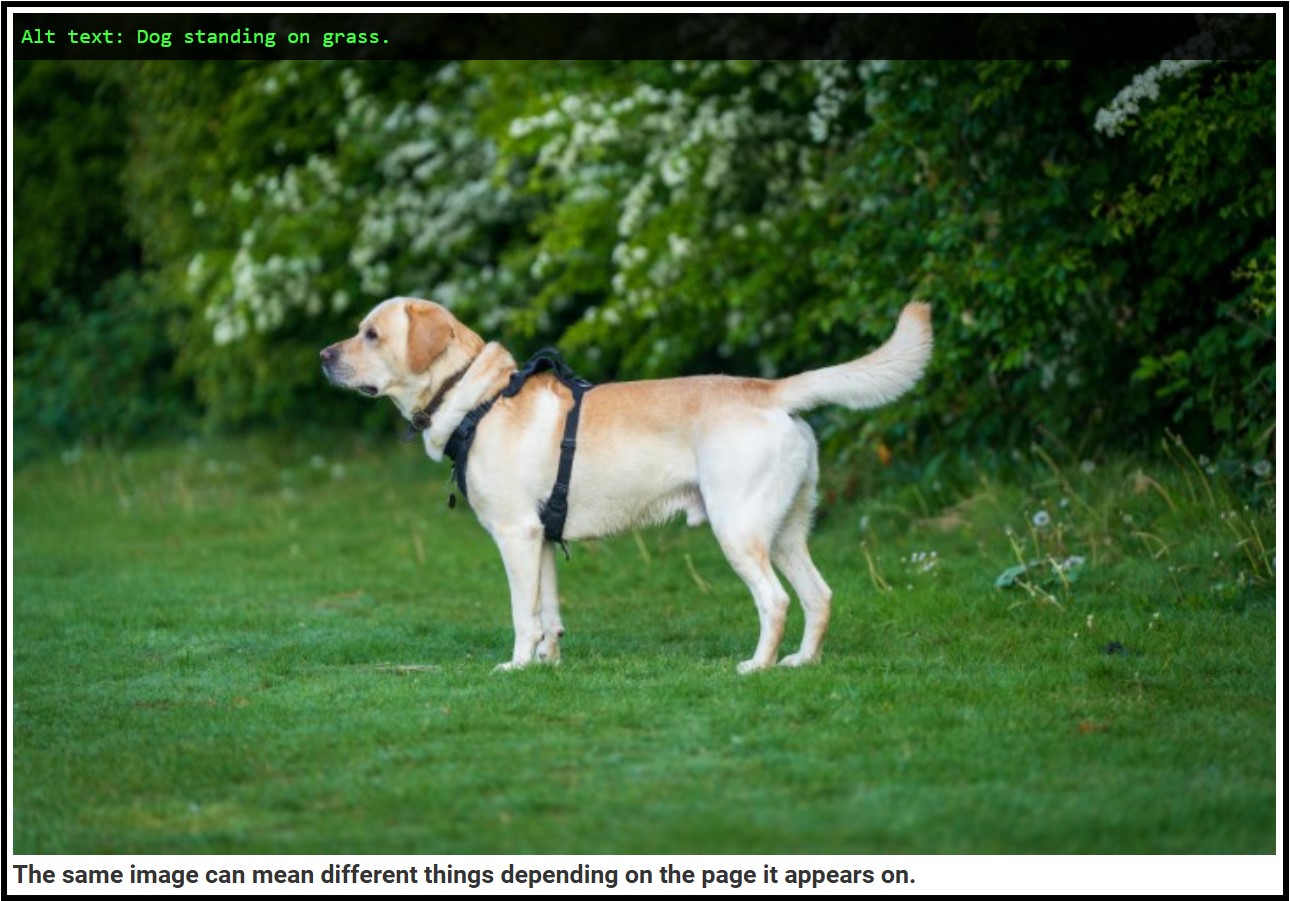
In this captions section, this image is marked as decorative because it visually repeats and reinforces what is already explained in the text. It would not add anything if announced by a screen reader.
Read more about images that repeat information in Using informative images in content.
A simple way to decide what to write
Before writing alt text, ask yourself:
- Why is this image here on this page?
- What would be missing if the image could not be seen?
- What is the shortest, most neutral way to explain that meaning?
These questions help you make better choices when deciding what to write.
Some tools may generate alt text automatically, but they cannot judge what the image means for the content. Use these questions to review, edit or remove any suggested alt text.
If you are unsure, keep it simple. A short, neutral description is usually best.
Why alt text does not describe everything
Alt text does not replace sight. It replaces the information the image provides for that page.
People who can see an image ignore most visual detail. They focus on what matters based on how it’s used on the page. Alt text needs to do this on purpose.
People who use screen readers can be overwhelmed if alt text tries to describe everything.
Focusing only on what matters keeps content usable. This includes avoiding phrases like “image of” or “photo of” unless they add useful information, as screen readers will already announce them as images.
You can include the type of image if it helps people understand or interpret it. For example:
"CGI illustration of proposed housing development with homes, roads and central green space."
How to check alt text on a live page
Once a page is live, it can be helpful to check how images and alt text work with captions or the wider page context. This is especially useful when reviewing example images or deciding whether an image should be treated as decorative.
You can use browser extensions to help with this.
Image Alt Text Viewer browser extension (Chrome Web Store) shows alt text alongside images so you can check whether it makes sense with the image and surrounding content.
Web Developer browser extension (Chrome Web Store) lets you check the page without images:
- Open the extension.
- Go to Images.
- Select Disable Images.
- Refresh the page.
This helps you check whether the page still makes sense without images and whether any important information is missing. When finished, remember to untick Disable Images and refresh the page again.
If the page still works without the image, and the alt text fits the page’s purpose, it is likely doing its job well.
Key points to remember
- Alt text is about meaning in context: why is this image here on this page?
- The same image can have different alt text on different pages.
- Include only the information in the image that matters for that page.
- Some images need to be handled differently, such as functional images, complex images and images of text.
- Decorative images should not have alt text.
- Respect screen reader users’ time.
- Avoid unnecessary detail and assumptions.
Alt text is not about recreating images. It's about making sure no one misses the point.
Last reviewed: 30 June 2026